
YouTube Transcript Generator
Paste a YouTube video URL and turn videos, podcasts, tutorials, or interviews into accurate text in minutes.
Paste a YouTube video URL to transcribe
Supported platforms
YouTubeTikTokInstagramFacebookXMany other links
By using Link To Text Converter, you agree to our Terms of Service and Privacy Policy.
How to Generate a YouTube Transcript in 3 Simple Steps
Paste a public YouTube video URL and get an accurate transcript in minutes.
01
Paste Your YouTube Link
Copy a public YouTube video URL and paste it into the link converter.
02
Start AI Transcription
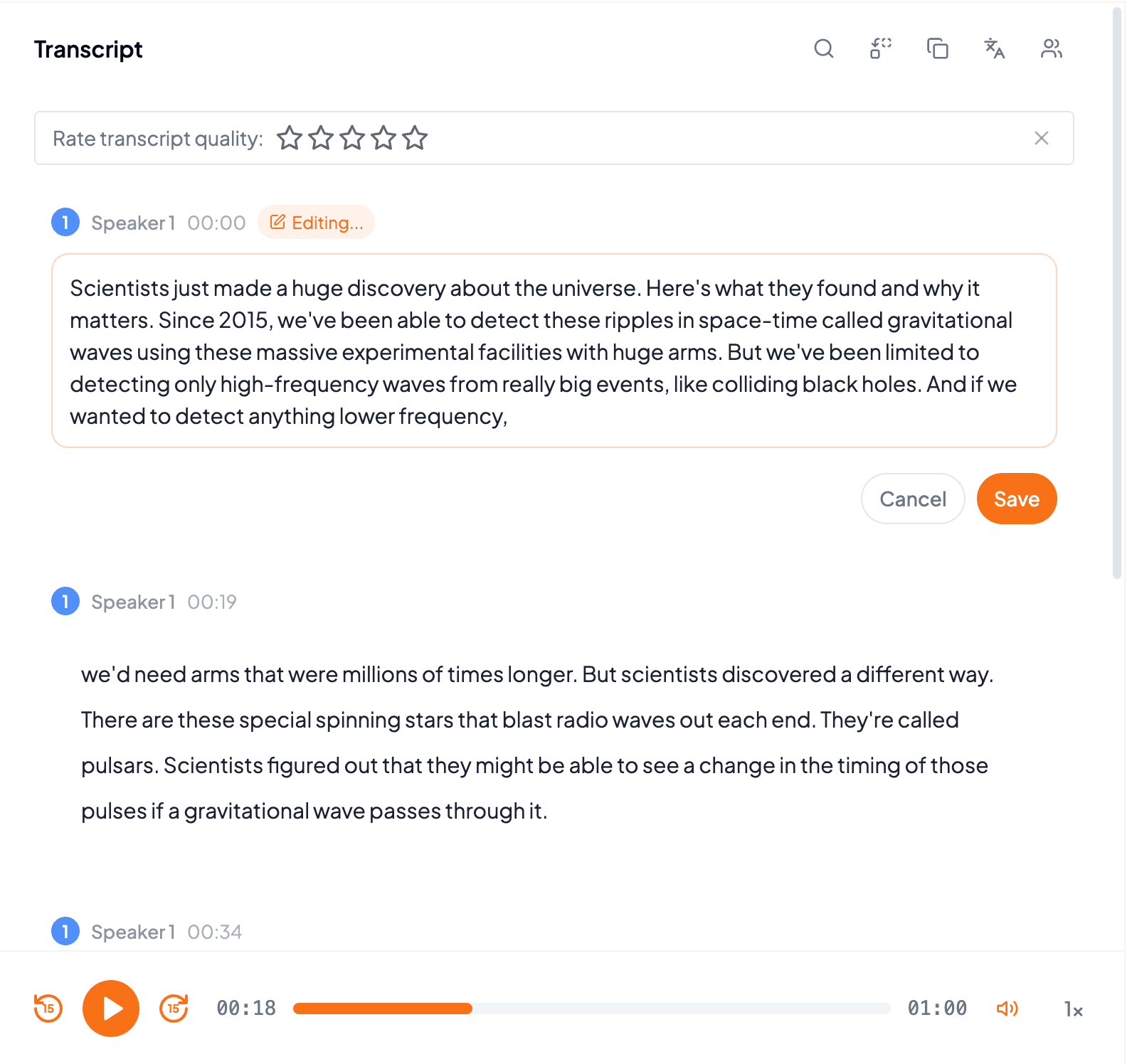
Start transcription and let AI turn the spoken content into accurate, editable text.
03
Get Your Transcript
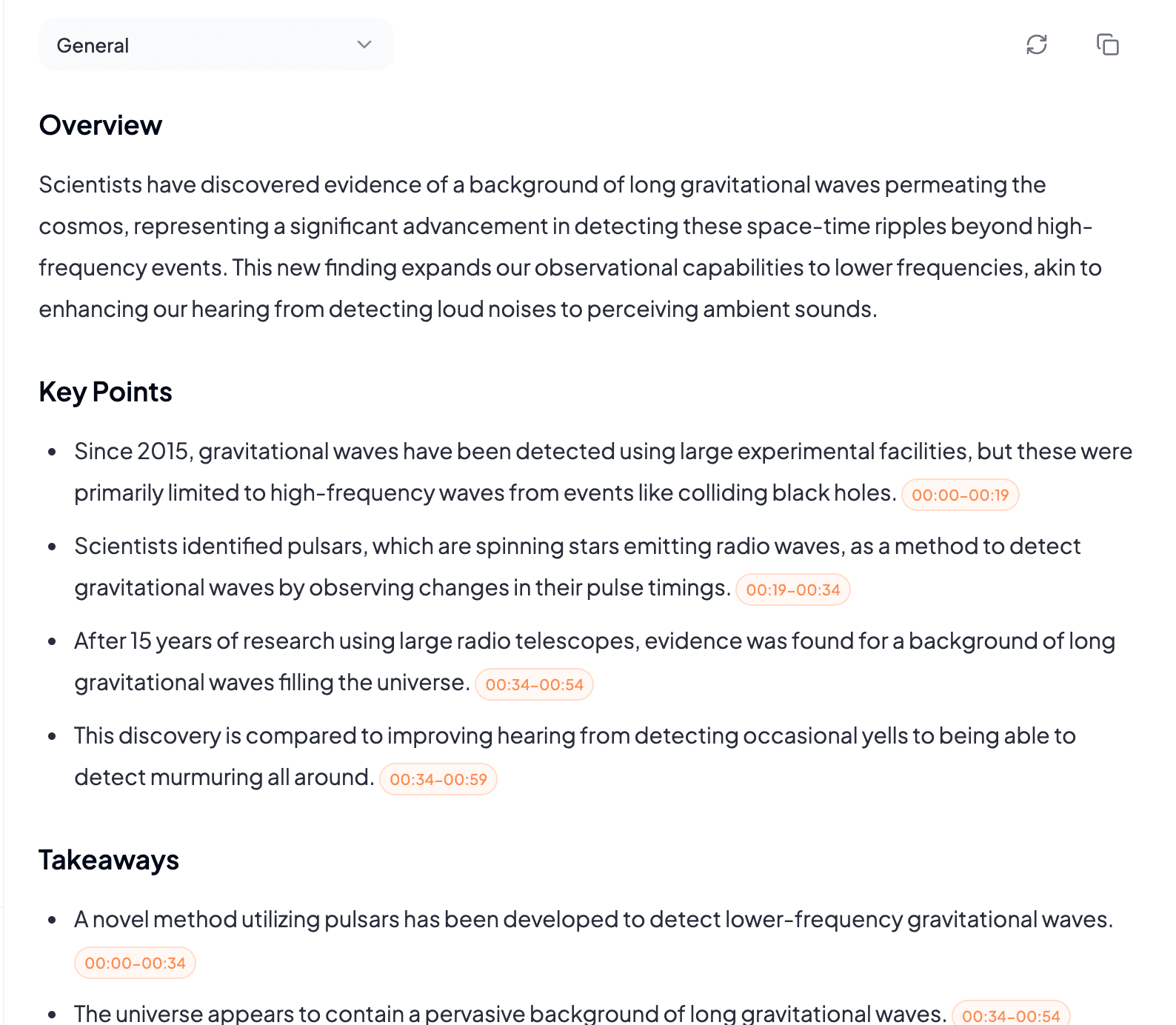
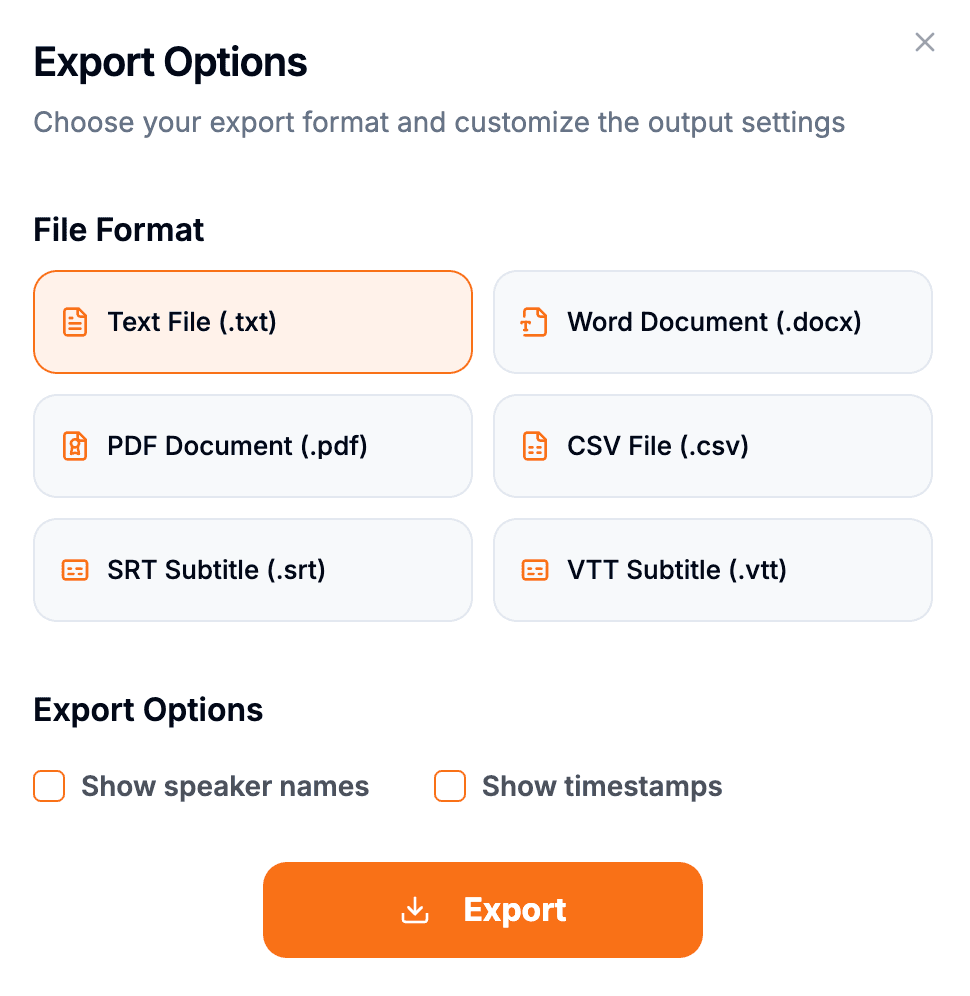
Download the transcript as TXT, PDF, DOCX, SRT, VTT, CSV, or create summaries, captions, and notes from the result.
Transcribe Videos from Other Platforms
Paste another public video URL and turn speech into accurate text in minutes.
Frequently Asked Questions
Yes. Paste a publicly accessible link, preview the media, and start a transcription from this page.
Use public YouTube video links such as https://www.youtube.com/watch?v=.... Private, removed, or restricted links may not be available for transcription.
Yes. You can export finished transcripts as TXT, PDF, DOCX, SRT, VTT, CSV, including SRT and VTT for captions.
Yes. After transcription, you can create summaries, key points, and mind maps for faster review.
Yes. The link converter works with major public video and social platforms, not just this platform.